



Every position, grouped
Put credit spreads, cash-secured puts and covered calls in their own tables, with strikes, days to expiry, earnings dates and price vs strike.
Local · Read-only · Private
OP-LIVE is a read-only dashboard for options sellers. It runs on your own computer, reads your positions from your broker's API, and shows spreads, cash-secured puts, covered calls, premium and risk in one place, updated every few seconds.
Works with moomoo today. More brokers coming soon.
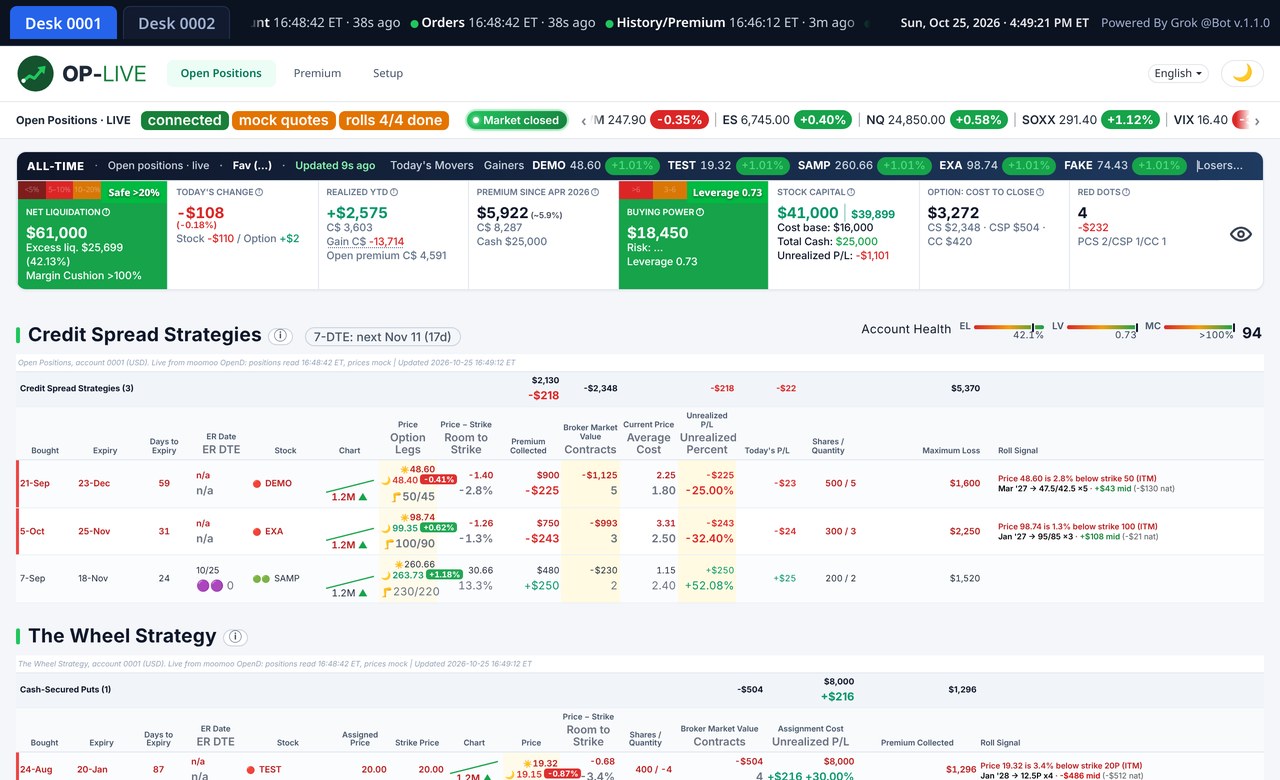
Demo data: example tickers and numbers, not a real account
Integrations
OP-LIVE reads your positions through your broker's own API, read-only. moomoo is live today, and more brokers are on the way.


Features
Everything you check ten times a day, without clicking through the broker app.
Put credit spreads, cash-secured puts and covered calls in their own tables, with strikes, days to expiry, earnings dates and price vs strike.
In-the-money and near-strike positions are flagged, with a roll suggestion out in time and down in strike.
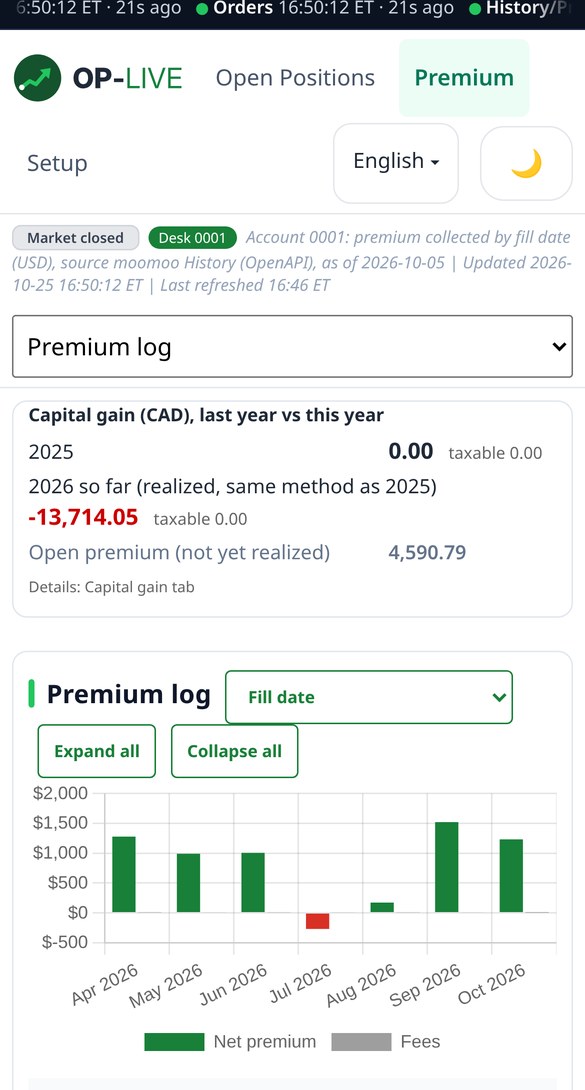
A premium log from your order history: by year, by strategy, by ticker, with fees folded into one bar per month.
Net liquidation, buying power, cost to close, maximum loss and leverage in a summary bar at the top.
Switch between accounts with one tab. Each desk keeps its own numbers.
A year-to-date capital gains report, ready for tax time and easy to compare with last year's tax form.
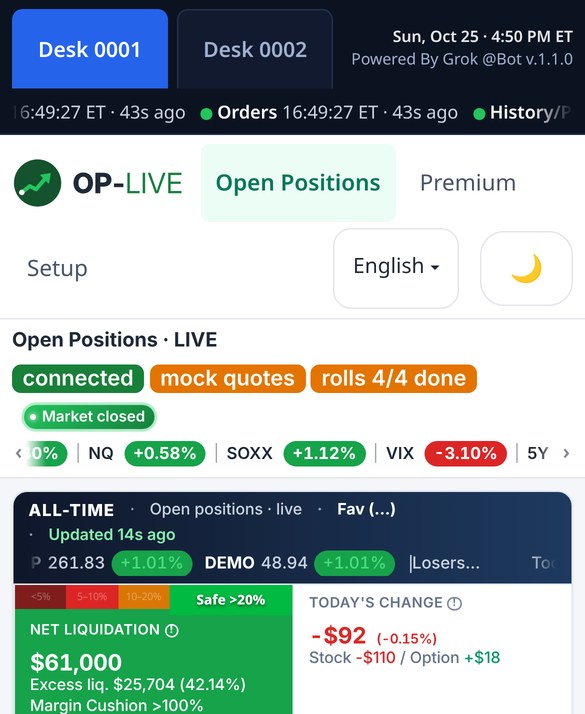
Demo data: example tickers and numbers, not a real account
Pricing
A yearly licence for one person, on your own computers. Updates included while your subscription is active.
OP-LIVE yearly
US$499 first year, then US$998/year
Join the 2027 waitlistSales open in 2027. Checkout will be handled by Stripe.
Setup
OP-LIVE is read-only in every setup. Choose where it runs and how you reach your dashboard.
OP-LIVE runs on your own computer or laptop. Your phone, tablet and other devices connect over your home Wi-Fi.
OP-LIVE still runs on your computer. Away from home, you reach it through a private, VPN-style link.
Available on request: OP-LIVE set up on a private VPS just for you, with your own domain, for use anywhere. Still read-only.
Ask about cloud setupDownload
These steps install OP-LIVE on your own computer, for the home and remote setups. Nothing is installed in the cloud, and your account data never leaves your machine. Licence: US$499 first year, then US$998/year.
macOS 12 or later, Apple silicon or Intel (placeholder).
Windows 10 or 11, 64-bit (placeholder). Windows timing to be confirmed.
Away from home? Reach the same dashboard through a private, VPN-style link to your computer. A cloud/VPS setup is also available on request, for an extra fee.
FAQ
No. OP-LIVE is read-only. It never places, changes or cancels orders, and it doesn't unlock trading. It only reads positions, balances, quotes and order history.
No. You sign in to your broker's own gateway on your computer. OP-LIVE never asks for your trading password, and your password never leaves your machine.
On your computer, in the home and remote setups. OP-LIVE runs locally and keeps its cache in a local database. ExactWEB doesn't receive your positions or balances. The cloud/VPS option, available on request for an extra fee, runs on a private server just for you, still read-only.
moomoo today, through moomoo OpenD. Interactive Brokers, tastytrade, Charles Schwab and Robinhood are coming soon. You need an account with API access enabled.
Yes. The dashboard works on phones. At home, open your computer's local address over the same Wi-Fi. Away from home, connect through a private, VPN-style link.
No. OP-LIVE shows your own data and simple calculations. Nothing on this site or in the app is financial, investment or tax advice. Capital gain figures are estimates; confirm them with your statements and your accountant.
The first year is US$499, then the subscription renews at US$998/year. You can cancel any time before renewal, and OP-LIVE keeps working until the end of the paid year.
ExactWEB
ExactWEB Solutions is the Canadian company behind OP-LIVE. ExactWEB has built software since 2000, and OP-LIVE started as a tool used on a real trading desk every day.
Email ExactWEB
Questions, the 2027 waitlist, or support. Replies within two business days.